
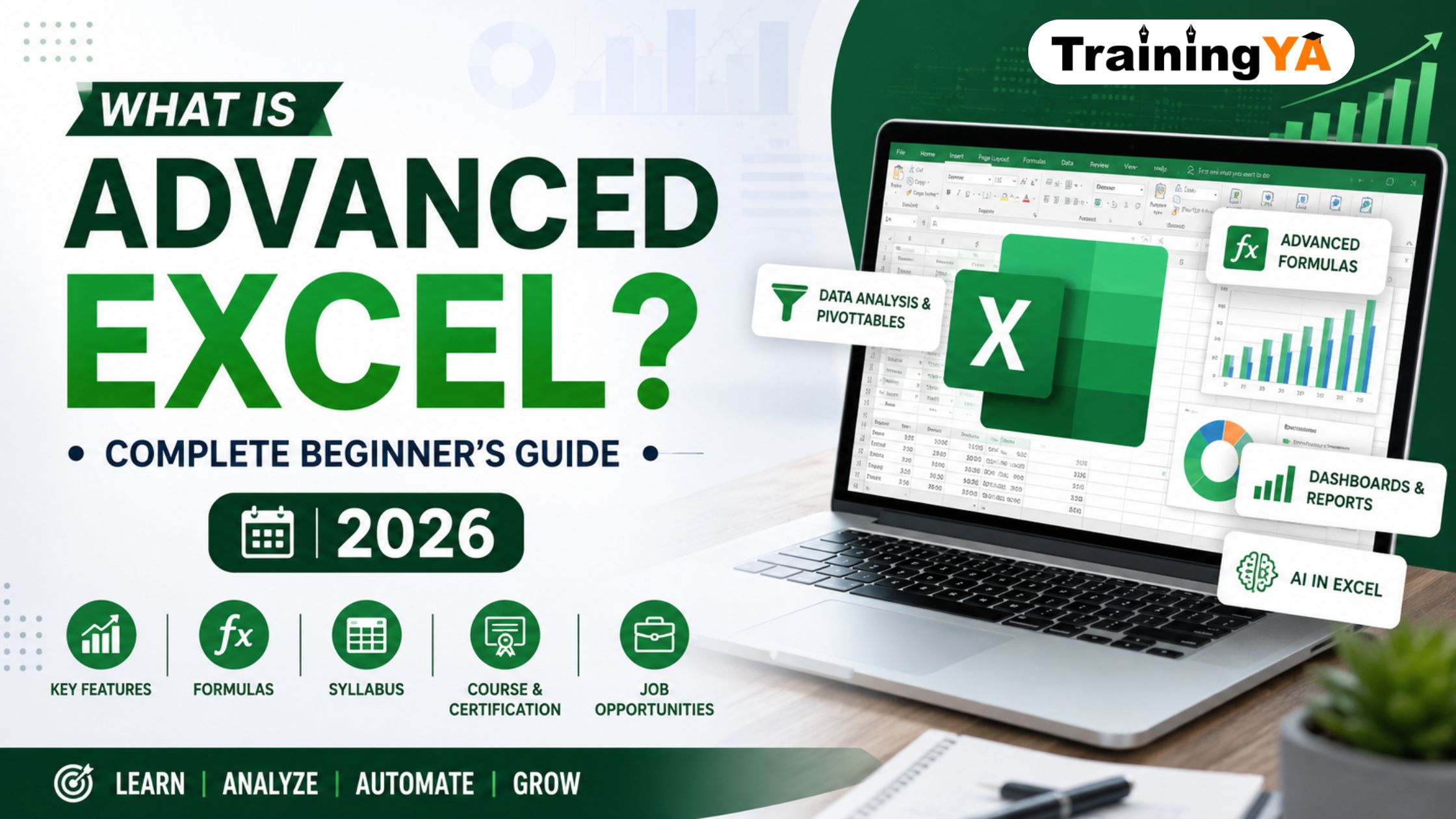
What is Advanced Excel? Complete Guide for Beginners (2026)
Microsoft Excel is one of the most widely used tools in offices, businesses, educational institutions, and data-driven industries. From maintaining attendance sheets and calculating expenses to creating dashboards and analyzing business data, Excel helps professionals work faster and make better decisions.
But many learners ask: what is advanced excel, and how is it different from basic Excel?
Advanced Excel refers to the use of powerful Excel tools, formulas, functions, data analysis features, automation options, dashboards, and reporting techniques. It helps users manage large datasets, perform calculations quickly, identify trends, and create professional reports.
In this complete beginner’s guide, you will learn what Advanced Excel is, its features, formulas, syllabus, career scope, fees, duration, and how AI can be used in Excel in 2026.
What Is Advanced Excel?
Advanced Excel is the next level of Microsoft Excel learning after basic spreadsheet skills. It includes advanced formulas, data analysis, visualization, automation, reporting, and dashboard creation.
Basic Excel users generally work with simple tables, formatting, and calculations. Advanced Excel users can work with large data files, create automated reports, apply logical formulas, use PivotTables, build dashboards, and solve business problems using data.
If you are wondering what is advanced excel, it can be understood as the practical use of Excel for professional tasks such as sales reporting, financial analysis, HR reporting, inventory management, project tracking, and business intelligence.
Advanced Excel is commonly used by data analysts, accountants, MIS executives, HR professionals, finance professionals, operations teams, sales teams, and business managers.
What Is MS Excel and Its Features?
Microsoft Excel is spreadsheet software developed by Microsoft. It allows users to organize data in rows and columns, perform calculations, create charts, and analyze information.
When learners ask what is ms excel and its features, the answer includes its ability to store, calculate, organize, filter, sort, visualize, and report data.
Some important features of MS Excel include:
- Worksheets and workbooks for organizing data
- Rows, columns, and cells for data entry
- Formulas and functions for calculations
- Charts and graphs for visualization
- Sorting and filtering options
- PivotTables for data summarization
- Conditional formatting for highlighting important data
- Data validation for controlling data entry
- Lookup functions for matching information
- Macros for automating repetitive tasks
- Dashboards for presenting business insights
These features make Excel useful for both beginners and experienced professionals.
What Is the Difference Between Excel and Advanced Excel?
The main difference between Excel and Advanced Excel is the level of skills and features used.
| Basic Excel | Advanced Excel |
| Data entry and simple formatting | Data analysis and reporting |
| Basic formulas such as SUM and AVERAGE | Advanced formulas such as XLOOKUP, INDEX-MATCH, IFERROR, and SUMIFS |
| Simple charts | Interactive dashboards and advanced charts |
| Small datasets | Large datasets and business reports |
| Manual calculations | Automated reports and macros |
| Basic sorting and filtering | Advanced Filter, PivotTables, Power Query, and data validation |
So, when someone asks what is difference between excel and advanced excel, the simple answer is that Advanced Excel helps users perform professional-level analysis, automation, and reporting.
Why Should Beginners Learn Advanced Excel in 2026?
Excel remains an important workplace skill because almost every industry uses data. Whether you work in finance, HR, marketing, sales, education, operations, administration, or analytics, Excel can help you become more productive.
Learning Advanced Excel can help beginners:
- Improve job opportunities
- Create professional reports
- Work with large datasets
- Save time through automation
- Build dashboards
- Analyze business performance
- Improve decision-making skills
- Add a valuable skill to their resume
An excel basic to advanced course is especially useful for students, freshers, working professionals, and job seekers who want to improve their practical computer skills.
Must Read : Benefits of Advance Excel Course
What Are the Main Features of MS Excel?
The main features of MS Excel make it a powerful tool for data handling and analysis. Some of the most useful features include formulas, charts, PivotTables, filters, conditional formatting, data validation, and automation.
Here are some of the main features of MS Excel:
1. Formulas and Functions
Excel formulas help users perform calculations automatically. For example, you can calculate totals, percentages, averages, tax amounts, discounts, and profit margins.
2. Sorting and Filtering
Sorting helps arrange data alphabetically, numerically, or by date. Filtering helps display only the information you need.
3. PivotTables
PivotTables summarize large datasets quickly. They are commonly used for sales reports, employee reports, inventory reports, and financial summaries.
4. Charts and Graphs
Excel offers bar charts, pie charts, line charts, column charts, and other visualization options to make data easier to understand.
5. Conditional Formatting
Conditional formatting highlights important values automatically, such as low sales, overdue payments, top performers, or duplicate entries.
6. Data Validation
Data validation controls what users can enter in a cell. For example, it can create dropdown lists for departments, cities, product categories, or employee status.
7. Macros and VBA
Macros automate repetitive tasks. VBA, or Visual Basic for Applications, can be used to create more advanced automation in Excel.
How Many Formulas Are There in Excel?
Many beginners ask, how many formulas are there in excel or how many excel formulas are there.
Microsoft Excel includes more than 500 functions across different categories. The exact number can vary depending on the Excel version and updates. These functions are grouped into categories such as mathematical, logical, statistical, financial, text, date and time, lookup, engineering, and information functions.
Some commonly used Excel formulas include:
- SUM
- AVERAGE
- COUNT
- COUNTA
- MAX
- MIN
- IF
- IFS
- AND
- OR
- IFERROR
- VLOOKUP
- XLOOKUP
- HLOOKUP
- INDEX
- MATCH
- SUMIF
- SUMIFS
- COUNTIF
- COUNTIFS
- CONCAT
- TEXTJOIN
- LEFT
- RIGHT
- MID
- LEN
- ROUND
- TODAY
- DATE
- YEAR
- MONTH
- NETWORKDAYS
You do not need to memorize every formula. The key is to understand which formulas are useful for your work.
What Is Advanced Filter in Excel?
An Advanced Filter is a feature in Excel that helps users filter data using multiple conditions. It is more flexible than the normal filter option.
For example, you can use an Advanced Filter to find:
- Employees from a specific department with salaries above a certain amount
- Students who scored above a particular percentage
- Products with sales above a target value
- Customers from selected cities
- Unique records from a large dataset
The Advanced Filter option is available under the Data tab in Excel. It is useful when you need to apply complex criteria or copy filtered results to another location.
What Topic Is Covered in Advance Excel?
The topics may vary depending on the institute and course level, but an advanced excel course syllabus usually covers basic concepts, formulas, data analysis, reporting, dashboards, and automation.
A typical Advanced Excel course includes the following topics:
Basic Excel Concepts
- Introduction to Excel interface
- Worksheets and workbooks
- Rows, columns, and cells
- Data entry and formatting
- Basic calculations
- Cell references
Excel Formulas and Functions
- Mathematical formulas
- Logical functions
- Text functions
- Date and time functions
- Lookup and reference functions
- Financial functions
- Statistical functions
- Error handling functions
Data Management
- Sorting and filtering
- Advanced Filter
- Remove duplicates
- Text to Columns
- Flash Fill
- Data validation
- Conditional formatting
Data Analysis and Reporting
- PivotTables
- PivotCharts
- Slicers and timelines
- What-if analysis
- Goal Seek
- Scenario Manager
- Data tables
Dashboard Creation
- Interactive dashboards
- KPI reports
- Charts and graphs
- Dynamic charts
- Reporting templates
Automation
- Introduction to macros
- Recording macros
- Basic VBA concepts
- Automating repetitive reports
Advanced Tools
- Power Query
- Power Pivot
- Data cleaning techniques
- Combining multiple Excel files
- Importing data from external sources
This advanced excel course syllabus is designed to help learners build job-ready Excel skills.
How to Use AI in Excel?
AI is making Excel more powerful and easier to use. If you are learning how to use ai in excel, you can start with AI-powered features available in modern Excel versions and AI assistants.
AI can help users:
- Generate formulas from simple instructions
- Analyze large datasets
- Identify patterns and trends
- Create summaries
- Suggest charts
- Clean data
- Classify information
- Generate reports
- Write Excel formulas faster
For example, you can ask an AI assistant to create a formula for calculating monthly sales growth, identifying duplicate values, or categorizing customer feedback.
Microsoft also offers AI-powered features through Microsoft Copilot in supported Microsoft 365 plans. These tools can help users analyze data using natural-language prompts.
However, learners should still understand Excel fundamentals because AI-generated formulas and reports should always be reviewed for accuracy.
How to Be Expert in Excel?
To become an Excel expert, you need consistent practice and real-world projects. Learning formulas alone is not enough. You should practice using Excel for business reports, data cleaning, dashboards, and analysis.
Here is a practical learning path:
- Learn basic Excel features such as formatting, tables, sorting, and filtering.
- Practice commonly used formulas such as SUM, IF, COUNTIF, VLOOKUP, XLOOKUP, and SUMIFS.
- Learn PivotTables and PivotCharts.
- Practice data cleaning using Text to Columns, Flash Fill, and Remove Duplicates.
- Build dashboards using charts, slicers, and conditional formatting.
- Learn Power Query for handling large datasets.
- Understand macros and basic VBA automation.
- Work on real projects such as sales reports, attendance trackers, expense reports, and inventory dashboards.
The best answer to how to be expert in excel is regular practice. Try to solve real data problems instead of only watching tutorials.
Advanced Excel Course With Certification
An advanced excel course with certification can be useful for learners who want to demonstrate their skills to employers. A certificate shows that you have completed structured training in Excel formulas, data analysis, reporting, dashboards, and automation.
At TrainingYA, learners can explore practical Excel training designed for students, freshers, and working professionals. A certification course can help strengthen your resume and improve confidence during interviews.
Before joining a course, check whether it includes:
- Practical assignments
- Live projects
- Advanced formulas
- PivotTables and dashboards
- Power Query
- Macros or VBA basics
- Certification
- Trainer support
- Placement assistance, if required
Must Read : Benefits Of Weekend Courses For Working Professionals
Advanced Excel Course Fees and Duration
The advanced excel course fees and duration depend on the training institute, course format, trainer experience, city, and whether the program includes certification and projects.
In India, Advanced Excel training fees can generally range from around ₹2,000 to ₹15,000 or more. Online self-paced courses may cost less, while instructor-led classroom or live online training programs may cost more.
The duration usually ranges from:
- 2 to 4 weeks for a short course
- 1 to 2 months for a detailed practical course
- 2 to 3 months for Advanced Excel with VBA, Power Query, and dashboard training
When comparing advanced excel course fees and duration, focus on the quality of practical training rather than only the lowest price.
What Is the Scope of Job After Advance Excel?
There is strong demand for professionals who can manage and analyze data. If you are asking what is the scope of job after advance excel, the answer is that Advanced Excel skills can support many entry-level and mid-level job roles.
Some common job opportunities after learning Advanced Excel include:
- MIS Executive
- Data Entry Executive
- Reporting Analyst
- Data Analyst
- Business Analyst
- Operations Executive
- HR Executive
- Finance Executive
- Accounts Executive
- Sales Coordinator
- Inventory Executive
- Back Office Executive
- Administrative Assistant
Advanced Excel is especially valuable when combined with other skills such as SQL, Power BI, Tableau, Python, data analytics, accounting, or business communication.
For example, an MIS Executive may use Excel to prepare daily sales reports, while a Data Analyst may use Excel to clean data, create PivotTables, and build dashboards.
How to Describe Excel Skills on Resume
When writing Excel skills on a resume, avoid simply mentioning “MS Excel.” Instead, mention the specific tools and functions you know.
You can write:
Advanced Excel Skills: PivotTables, PivotCharts, XLOOKUP, VLOOKUP, INDEX-MATCH, IF, SUMIFS, COUNTIFS, conditional formatting, data validation, dashboards, Power Query, data cleaning, reporting, and basic macros.
If you have completed an advanced excel course with certification, you can add it under the Certifications section of your resume.
You can also include project-based points such as:
- Created automated monthly sales reports using PivotTables and advanced formulas.
- Built Excel dashboards to track revenue, expenses, and performance KPIs.
- Cleaned and analyzed customer data using Power Query and conditional formatting.
How Much Time It Takes to Learn Excel?
The time required to learn Excel depends on your current knowledge and practice level.
For basic Excel, most learners can understand the fundamentals in 1 to 2 weeks. For Advanced Excel, it may take 1 to 3 months of regular practice.
A beginner can learn the basics in a few weeks, but becoming confident in formulas, PivotTables, dashboards, Power Query, and automation requires practical work.
If you spend one to two hours daily practicing Excel, you can build strong working knowledge within two months.
Final Thoughts
Advanced Excel is a valuable skill for anyone who wants to work with data, reports, calculations, and business information. It is useful for students, job seekers, professionals, entrepreneurs, and business owners.
Now that you understand what is advanced excel, you can begin by learning Excel basics, practicing formulas, working with PivotTables, and building dashboards. An excel basic to advanced course can provide structured learning and practical projects to help you become job-ready.
In 2026, Excel is not only about spreadsheets. With AI tools, Power Query, dashboards, and automation, it has become an essential platform for smarter data analysis and reporting.
Choose The Right Course For A High-paying Career
Frequently Asked Questions
Mention the specific Excel features you know, such as PivotTables, XLOOKUP, VLOOKUP, IF formulas, SUMIFS, dashboards, Power Query, conditional formatting, data validation, and basic macros. Adding project examples makes your resume stronger.
MS Excel includes spreadsheets, formulas, functions, charts, PivotTables, sorting, filtering, conditional formatting, data validation, dashboards, macros, and data analysis tools.
The main features of MS Excel are formulas, charts, tables, PivotTables, filters, sorting, conditional formatting, lookup functions, data validation, macros, and dashboard creation.
Advanced Filter is an Excel feature that allows users to filter data using multiple conditions. It can also help extract unique values and copy filtered results to another location.
Excel has more than 500 functions, depending on the Excel version. These include mathematical, logical, financial, statistical, text, lookup, and date functions.
To become an Excel expert, learn the basics first, practice formulas regularly, work with PivotTables, create dashboards, learn Power Query, understand macros, and complete real-world Excel projects.
MS Excel is spreadsheet software used to organize, calculate, analyze, and present data. Its features include formulas, charts, filters, PivotTables, conditional formatting, data validation, dashboards, and automation tools.
Advanced Excel covers formulas, functions, PivotTables, charts, dashboards, data validation, conditional formatting, Advanced Filter, Power Query, macros, VBA basics, and data analysis tools.
Basic Excel can be learned in 1 to 2 weeks, while Advanced Excel usually takes 1 to 3 months depending on your practice time, course structure, and learning goals.






![Best Microsoft Power BI Courses & Certificates [2026]](https://www.trainingya.com/wp-content/uploads/2026/05/Learn-Python-in-2026-450x231.webp)


Leave a Reply