
How to Build a Data Analyst Portfolio With Python and Power BI
The data professional hiring market has changed completely. A couple of years ago, you could quite easily get an interview for an entry-level analytics role with a portfolio containing a basic set of summary stats on a generic CSV or a clean interactive dashboard. Now, with the sheer volume of applications that technical recruiters, analytics managers and hiring teams are seeing for every single role, a static dashboard with just basic metrics and some simple EDA scripts won’t cut it.
Modern engineering and BI teams want end-to-end evidence of technical ability. They want people who can take messy, unstructured real-world data, clean it up, engineer it via automated Python pipelines, build solid relational models and then turn those models into scalable Power BI dashboards that actually inform business decisions. The single most valuable thing you can do as an aspiring data analyst is to build a portfolio of work that demonstrates this complete journey from raw data through to business decision-making using Python and Power BI.
This is an architectural guide to building a high-impact, enterprise-ready data analytics portfolio. By the end of this article, you’ll know how to structure your projects, how to integrate your Python scripts with your Power BI semantic models, how to operate within the corporate governance framework and how to present your work to show real commercial value.
Current Landscape: Why Traditional Analytics Portfolios Fail Today
To stand out, you have to understand why the vast majority of traditional data analyst portfolio submissions get tossed out in the very first stage of the technical screening by hiring managers.
- Synthetic and cleaned datasets (e.g. the Titanic survival list, the Iris flower classification, the classic housing price dataset) are a massive red flag with recruiters. It immediately tells them you haven’t actually worked with real data.
- Disjointed tool usage is a common problem with many portfolios. You’ve got isolated Jupyter Notebooks full of fairly basic statistical charts and then Power BI files that are completely disconnected from the notebooks. The hiring manager is very rarely going to go through a raw notebook without some context or go through a Power BI file without some narrative to go with it.
- Focus on metrics rather than outcomes. The novice will often go off and calculate some number of counts, some average, some chart or other, without actually having a clear understanding of the business problem, the financial impact, the operational bottleneck or the actual decision that needs to be made.
- Visualisations are frequently over-engineered with overly saturated colours, excessive 3d effects and the wrong kind of chart altogether. This is a clear indication of poor visual literacy and a total lack of adherence to Enterprise UI/UX standards.
Enterprise organisations expect their data analysts to be working in integrated modern data stacks. The modern benchmark is for an end-to-end data pipeline: data pulled in via API or web scraping, cleaned and transformed in Python as a programme, the structured output stored or passed on to a modelling environment and then semantic models built in Power BI using a Star Schema architecture and DAX measures.
Major Technical Developments: The Synergy of Python and Power BI
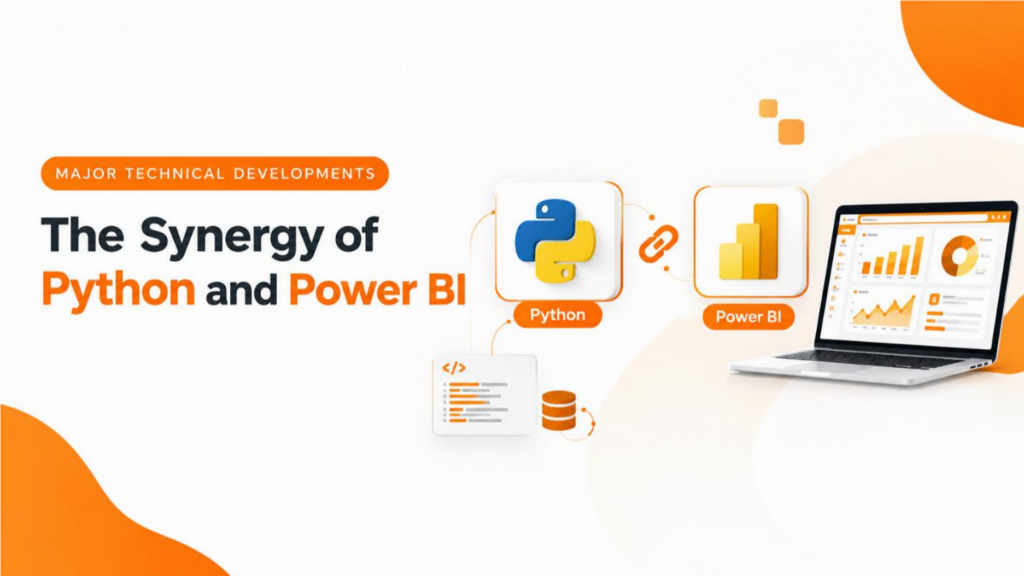
The marriage of custom scripting capability with the power of visual analytics is what defines the modern BI environment. Power BI and Python were once seen as rivals in the market, with Python being the tool of choice for the data scientist doing their heavy lifting in the statistical scripting arena and Power BI the tool of the BI engineer for creating corporate dashboards. Now they work hand in hand across the entire enterprise analytics lifecycle.
Data Extraction, Cleansing, and Pipeline Automation (Python)
Python is absolutely superb at dealing with the messy, unstructured reality of upstream data ingestion. Enterprise analytics almost never starts with a clean, properly formatted SQL database table. The reality is that data analysts are constantly pulling data from REST APIs, parsing out the nested JSON, scraping semi-structured web data and bringing together various CSV and Excel files.
With libraries such as Pandas, NumPy, requests, and SQLAlchemy, Python enables analysts to automate complex multi-stage data pipelines. Python is vastly more efficient than a visual interface at carrying out the kind of advanced programming required for things like complex text manipulation (using regular expressions), outlier detection, string distance matching and algorithmic data imputation.
Semantic Modeling, DAX, and Enterprise Reporting (Power BI)
Python is excellent for data transformation but is a very poor choice for delivering interactive, real-time visual analytics to the business user. Power BI is the solution to this problem and provides an enterprise reporting engine. It’s built on the VertiPaq in-memory columnar engine, which enables very fast analytical queries across millions of rows.
By importing the Python-processed data into Power BI, you can create proper relational data models (Star Schemas), write your own dynamic measures using DAX, apply Row-Level Security (RLS) for data governance and build user interface layouts that are responsive to the needs of the business executives.
To have a genuinely senior-level piece in your data analyst portfolio, the project you put
Practical Impact on Professionals: Architecting an End-to-End Portfolio Project
together should be a properly structured project following a multi-tiered architectural approach. It should be a properly structured project that reflects a real enterprise production environment.
Phase 1: Problem Definition and Data Ingestion
Every ‘high impact’ project starts with a business scenario rather than a tool or a dataset. A good example would be an e-commerce subscription business looking at customer churn or a regional health authority looking at the optimisation of hospital bed utilisation. Start with a business scenario, a set of KPIs, and the business recommendations you want to achieve.
In the ingestion phase, don’t go down the route of downloading some clean static dataset. Write a modular Python script that will pull the raw data directly from the public API (authenticate via env vars, deal with rate limits, etc.) and save the raw JSON or CSV files into a properly structured project folder.
Phase 2: Data Cleansing, Feature Engineering, and Transformation in Python
Develop a structured Python transformation pipeline using Pandas. Document every step of the cleaning process clearly:
- Detect and deal with missing values using context-appropriate imputation techniques (e.g. median imputation for skewed continuous distributions, or the assignment of a categorical flag) rather than just dropping the rows at random. Implement standard string formatting, parse the UTC datetime strings into individual temporal components and deal with time zone conversions explicitly.
- Create domain-specific metrics such as Customer Lifetime Value (CLV), RecencyFrequency-Monetary (RFM) segmentation bins, rolling 7-day moving averages and inventory turnover velocity ratios.
- Output the fully cleaned, transformed data as optimised, schema-validated Parquet files or else push the structured tables into a local RDBMS (PostgreSQL or SQLite, for example).
Phase 3: Relational Data Modelling in Power BI
Load the transformed Parquet files or database tables into Power BI Desktop. Highperformance Power BI dashboards are all about having a good Star Schema. You should not load a single massive flat table (a wide table) as a flat table, as flat tables are awful for VertiPaq compression and will lead to DAX performance issues.
- Create a centralised Fact table which will contain the numeric transaction events, the additive metrics and the surrogate foreign keys.
- Build the appropriate Dimension tables (Dim_Customer, Dim_Product, Dim_Geography, Dim_Date, etc.) and link them to the Fact table via strict 1-to-many, single-direction relationships.
- Generate a full-blown continuous Date Dimension table (using either DAX (CALENDARAUTO) or a Power Query M script) to underpin your time intelligence calculations and get rid of any data gaps.
Phase 4: DAX Measure Authoring and Business Logic
Don’t use the implicit Power BI fields (i.e. drag a raw numeric column straight onto the visual canvas card). All professional Power BI development is based on explicit DAX measures in dedicated measure tables.
The author has robust measures in place that calculate the key business metrics across a range of time frames (YoY revenue growth, YTD cumulative sales, moving averages, etc.) via DAX with the use of functions such as CALCULATE, FILTER, DATESYTD, SAMEPERIODLASTYEAR and RANKX.
Phase 5: User-Centric Dashboard UI/UX Design
Design the user interface with visual hierarchy and executive usability in mind:
- Use a clean, deliberate grid layout with the high-level KPI summary cards in the top row (left-to-right reading pattern).
- Stick to a palette of 2-3 corporate theme colours. Use neutral tones (light grey/white backgrounds) and your bold accent colours solely to highlight alerts, targets and active selections.
- Include interactive navigation controls (page navigation buttons, field parameters to enable dynamic switching of metrics, custom tooltips and bookmark toggles to facilitate clean visual state switching).
Business Implications: Connecting Technical Code to Financial Impact
Technical accuracy on its own won’t get you a high-end analytics job. You have to demonstrate that you understand how the output of an analysis actually feeds into corporate strategy. When you’re writing up your Python data analyst portfolio projects, make sure you have commercial awareness.
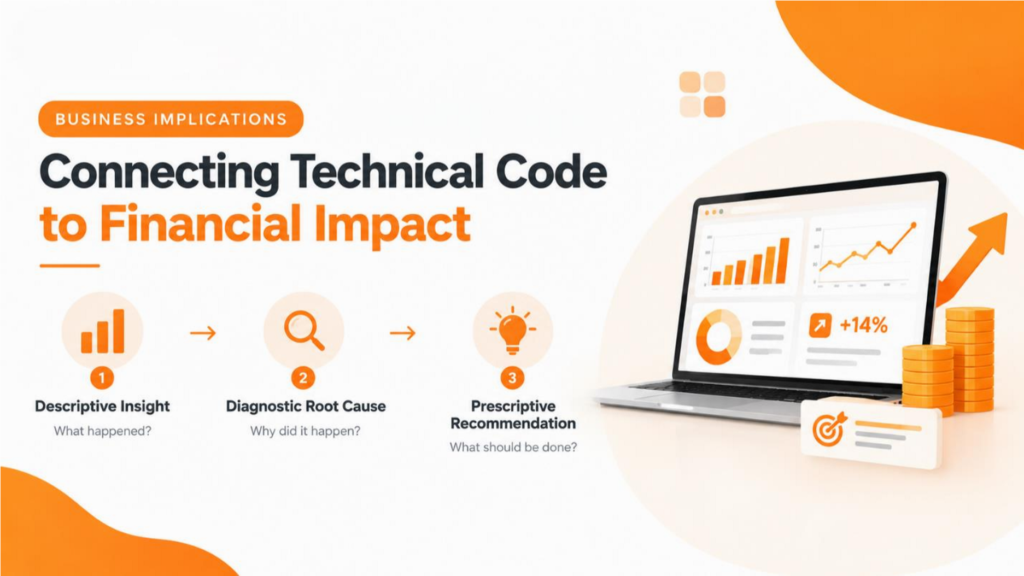
Every visualisation and analytical calculation should answer three core business questions:
- Descriptive insight: What does the data tell us about what actually happened across the operational workflows, customer segments or financial statements?
- Diagnostic root cause: Why did this trend happen, and what were the actual drivers (regional delays, pricing changes, churn patterns, etc.) that led to the variance?
- Prescriptive recommendation: What specific decision should management make in order to capture the opportunity or to mitigate the operational risk?
For example, rather than just saying ‘Sales down 14% in Q3, ‘ you’d say ‘Sales contracted by 14% ($120k impact) in Q3 as a result of supply chain issues in the Midwest. Moving inventory from warehouse B will reduce delivery lead times by 3 days and is expected to recover $80k of
Q3 revenue.’
Technical Considerations: Enterprise Architecture and Integration
When you’re doing a portfolio project that involves Python and Power BI, you need to be aware of the technical trade-offs between the various execution environments.
Python code can be executed in two different places within the Power BI flow, each with a different architectural purpose:
- Upstream Python execution (Power Query): Running Python within the Power Query Editor is effectively an ETL transformation step. Power BI will invoke the local Python engine to import and/or transform the data frames prior to loading them into the data model. It’s a very flexible approach but does require the local Python environment dependencies and can be a bit of a drag on refresh times in an automated scenario.
- In Canvas Python visuals: running a Python script within the Power BI report canvas produces static image visuals (using Matplotlib or Seaborn). This is a useful capability for generating more complex statistical visuals (e.g. correlation heatmaps, box plots, etc.) that aren’t available in Power BI natively. The caveat is that they are static images and don’t support cross-filtering or interactive slicing with other native Power BI visuals.
The ideal enterprise architecture for portfolio projects is to do the heavy lifting of data extraction, cleaning, API work and sophisticated statistical feature engineering in an external Python IDE (VS Code or Jupyter). Export the output in standard formats (Parquet, CSV or SQL) and then load the structured output directly into Power BI. This approach results in very fast dashboard performance, clean DAX modelling and native cross-filtering between visuals.
Risks, Limitations, and Governance Considerations
Senior people are the ones who understand the technical limits, the potential failure modes and the governance constraints. Showing that you have that understanding in your project documentation is the way to build credibility.
- Data Privacy and Governance (PII): Lots of the public datasets will contain real PII. When you’re building your portfolio project, you should anonymise any sensitive attributes (using masking or hashing in Python, for example) prior to making your project files public.
- Hardcoded credentials and secrets management: hardcoding passwords, database credentials or private API authentication keys directly into your Python scripts or into your Power BI connection strings that you’ve posted to GitHub is a serious security risk. Use environment variables (.env files) or config parameters and ensure your credential files are added to your .gitignore file.
- Visualization interactivity limitations: native Power BI visuals scale perfectly across all display resolutions. Python-generated visual scripts, however, when rendered on the canvas, are rendered as static raster images which can blur and distort on high DPI displays.
- Time Intelligence and Date Contiguity: Always be mindful of gaps in your Date table. Gaps in dates will break any DAX time intelligence functions (e.g.
SAMEPERIODLASTYEAR) and will result in incorrect calculations or errors in your query.
Skills Professionals Should Develop
To build a competitive portfolio, professionals should focus on mastering specific technical skills across both ecosystems:
- Python Data Engineering: Pandas and NumPy for complex data reshaping, vectorisation, missing value treatment, datetime parsing and merging data from a variety of sources. API integration via requests, rate handling and parsing JSON payloads.
- Power BI Data Modelling and DAX: building robust Star Schema data models with clear 1-to-Many relationships, understanding the DAX evaluation context (Filter Context vs Row Context), context transition via CALCULATE and the creation of scalable time intelligence measures.
- Version control and documentation: Writing clean, professional documentation in the GitHub repo (architecture diagrams, succinct READMES, clean folder structure, instructions for running the code that are fully reproducible, interactive visual previews, etc.).
Business Communication: taking the technical metrics and translating them into business strategies (i.e. around ROI, cost savings, or process improvement). Framing the project summaries in business terms.
What This Means for TrainingYA Learners and Professionals

At TrainingYA, learning data analytics is about much more than just getting your tool syntax down. It’s about learning how to put the various components together to create fully integrated end-to-end data workflows that are what the industry actually needs.
TrainingYA’s industry-aligned learning paths in Data Analytics, Power BI, Python and SQL are all project-based and focus on the actual doing of the work. You’re taken through real business scenarios, from writing structured Python to pull the raw data and build the data engineering, through to building the production Power BI semantic models and the executive dashboards.
Through practical mentoring, capstone projects and career coaching, TrainingYA helps aspiring data analysts, career changers and junior professionals to build up a portfolio of enterprisequality work that demonstrates technical ability, business sense and commercial value.
Frequently Asked Question's
A good portfolio should have 2-3 proper end-to-end projects, really. It’s all about depth over breadth. A single good project (one that does the data extraction, the Python pipeline cleaning, the Star Schema model and the interactive Power BI dashboard) is worth a hell of a lot more than 10 basic analysis notebooks.
Power BI Desktop is free, but if you’re hosting live interactive reports on Power BI Service, then you’ll generally need either an organisation Pro licence or a Microsoft 365 developer tenant. You can of course still do a very good job by publishing high-res video walk-throughs, publishing a series of dynamic report screenshots, providing the .pbix files for download and having comprehensive GitHub documentation.
SQL is of course the fundamental language for querying enterprise databases. The example above shows a far more complete analytical capability by combining Python and Power BI. Python is used for the automated data collection, the complex text parsing and the statistical engineering. Power BI is used for the governance, the semantic model and the reporting. It’s a complete end-to-end analytics skillset.
Don’t just upload the raw .pbix or .ipynb files. Host your project on GitHub and include a full README. Your README should contain a project summary, a clear statement of the business problem, a diagram of your pipeline architecture, a step-by-step description of the work, the business insights, the recommendations and embedded visualisations (screenshots or demo GIFs).
Absolutely. People switching careers bring real-world experience and domain knowledge of finance, marketing, logistics, healthcare, etc. Your portfolio projects should be around realworld problems in the industry you’re targeting. You’ve got the domain knowledge, and you’ve got the technical skill (Python and Power BI), so you’re a very strong candidate.
Synthetic or scraped real-world data are perfect for portfolio projects. You can pull data from open public APIs (Census data, financial markets, public transport APIs, etc.) or scrape semistructured data from public web pages using Python to create a project that actually has some degree of real-world data complexity.



![Best Microsoft Power BI Courses & Certificates [2026]](https://www.trainingya.com/wp-content/uploads/2026/05/Learn-Python-in-2026-450x231.webp)




Leave a Reply